Krishak Bandhu Payment Status Check Online 2026
Check in 2 minutes whether your Krishak Bandhu money has arrived - step-by-step guide to checking payment status on krishakbandhu.wb.gov.in using voter card, Aadhaar, bank account or KBID.
Interactive Document Checklist Before Applying
Tick off the required papers as you gather them for your application:
Whether the Krishak Bandhu (New) scheme instalment has arrived in your bank account can be checked from home, free of cost, without any agent, in just 2 minutes. This guide shows every step with real screenshots of the official portal, krishakbandhu.wb.gov.in.
What You Need (One Item Is Enough)
To check the status you will need any one of the following:
- Voter card (EPIC) number
- Aadhaar number
- Bank account number
- KB ID (Krishak Bandhu registration ID)
- Registered mobile number
- Acknowledgement number
Step 1: Open the Official Portal
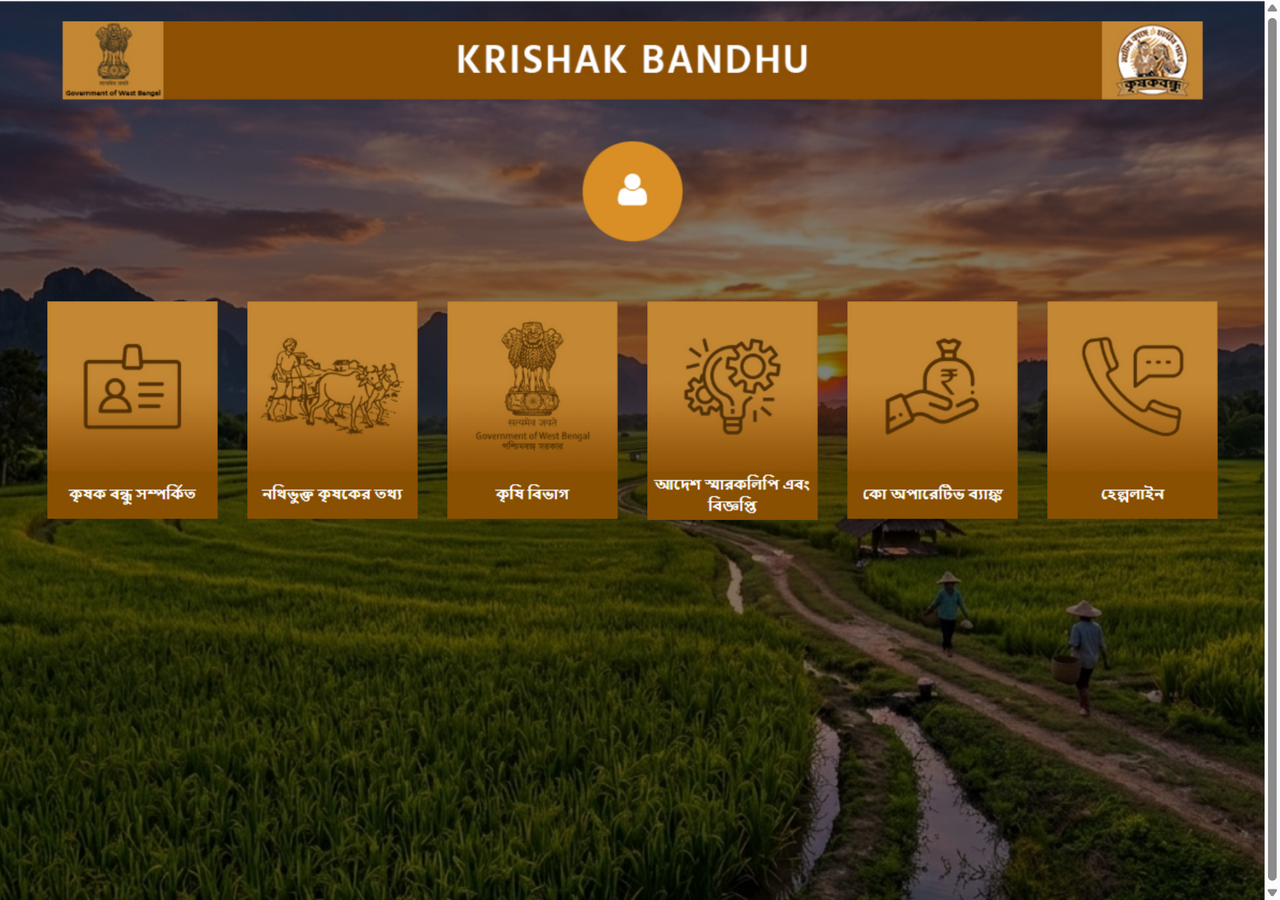
Type krishakbandhu.wb.gov.in in your browser and enter. The homepage shows 6 large tiles like this:
Step 2: Click the ‘Registered Farmer Information’ Tile
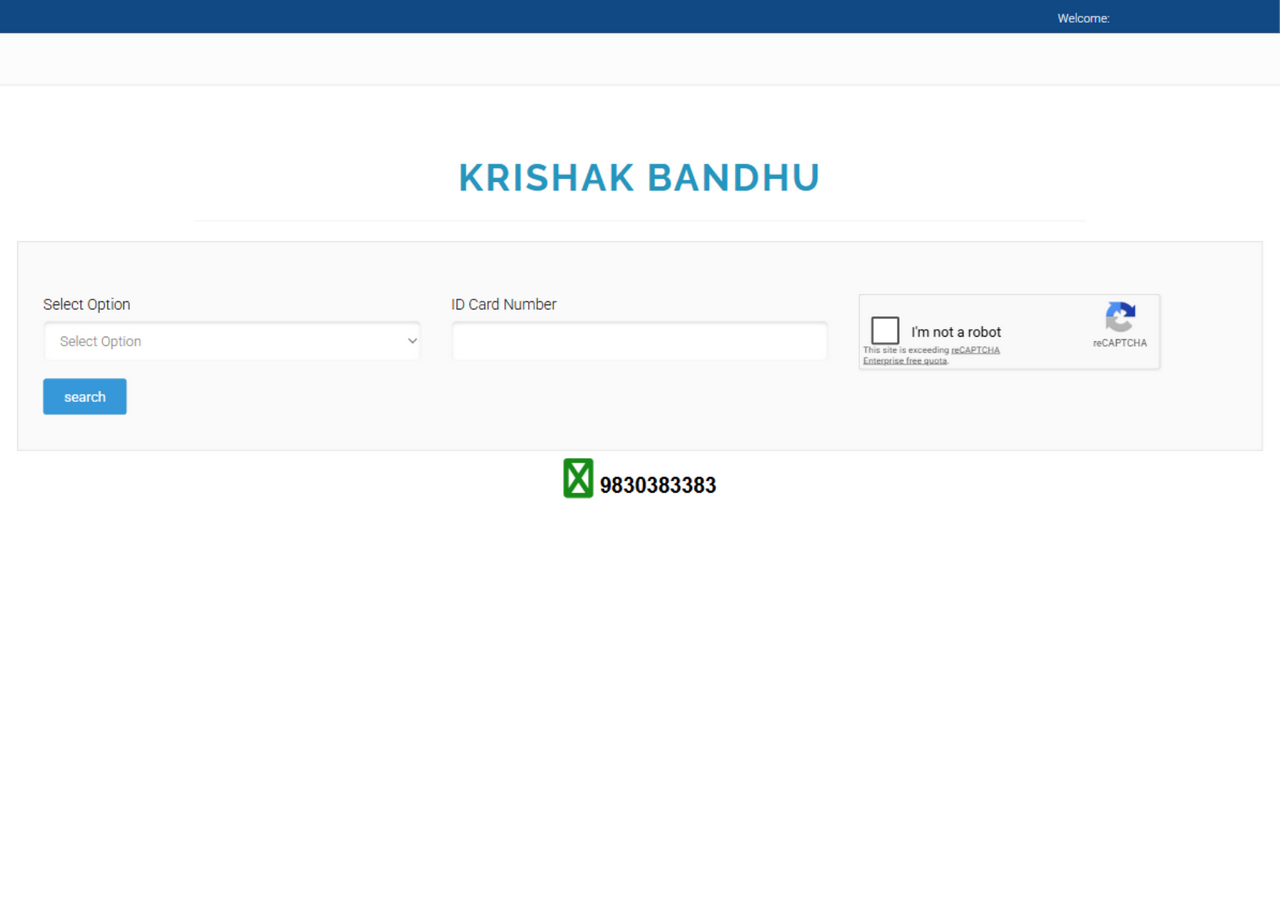
Click the second tile on the homepage — ‘Registered Farmer Information’ (Search Voter ID). This opens the search page:
Step 3: Choose the Search Basis from Select Option
The dropdown has 6 options:
- Voter Card (easiest)
- AADHAAR Card
- Bank A/c No
- KBID
- Mobile
- Acknowledgement No
Choose whichever is easiest for you to produce — in most cases the voter card number works.
Step 4: Type the Number and Press Search
- Type your number correctly in the ID Card Number box.
- Tick the ‘I’m not a robot’ captcha.
- Click the blue search button.
Step 5: View the Payment Status
The result appears instantly on searching:
- KB ID and the farmer’s name
- Area of cultivable land (acres)
- Status —
ApprovedorData Entered(entered, approval pending) - Transaction History — the last instalment’s date, amount and
Transaction Successmark
A Simple Rule to Read Your Status
| What You See on Screen | What It Really Means |
|---|---|
| Approved + Transaction Success | The instalment has been sent to the bank |
| Approved (no transactions) | Name approved, waiting for the next instalment |
| Data Entered | Application submitted, final approval pending |
| Name not showing at all | Not registered — contact the ADA office |
Helpline
- Phone: 8336957370 / 8597858428 (10 am - 6 pm)
- Portal: krishakbandhu.wb.gov.in
Related article: To learn about the scheme’s eligibility, instalment rules and death benefit, read the Krishak Bandhu scheme detailed guide.
Questions People Ask About This Scheme
I searched with my voter card but my name isn't showing — what should I do?
First check that you selected the correct district. Then try with your AADHAAR or Mobile number — sometimes the voter card spelling is entered differently on the portal. If it still doesn't show, contact the office of the Block Agricultural Officer (ADA).
The status says 'Data Entered' — when will I get the money?
'Data Entered' means the application has been accepted but final approval is pending. Once it becomes 'Approved' and your name appears in the instalment list, the money is credited directly to the bank account. Instalments are usually given in the kharif and rabi seasons.
It shows the money has arrived but I haven't received it in the bank — what should I do?
If Transaction Success is shown, the money has gone to the bank. Check your statement or update your passbook. If the account is closed or the IFSC is wrong, the money may bounce back — get the bank details corrected at the ADA office.
Need Assistance or Have Queries?
Contact the official West Bengal Government helpline for immediate resolution.