Citizen Service · Official Guide
Swasthya Sathi Card Check Online 2026: Find Your Name, Verify Your Card & Check Status
Citizen Services
Find your family members' names in Swasthya Sathi using a mobile number on swasthyasathi.gov.in, verify the card with a URN and download the digital card — a step-by-step guide with screenshots of the official portal.
Application & Verification Process
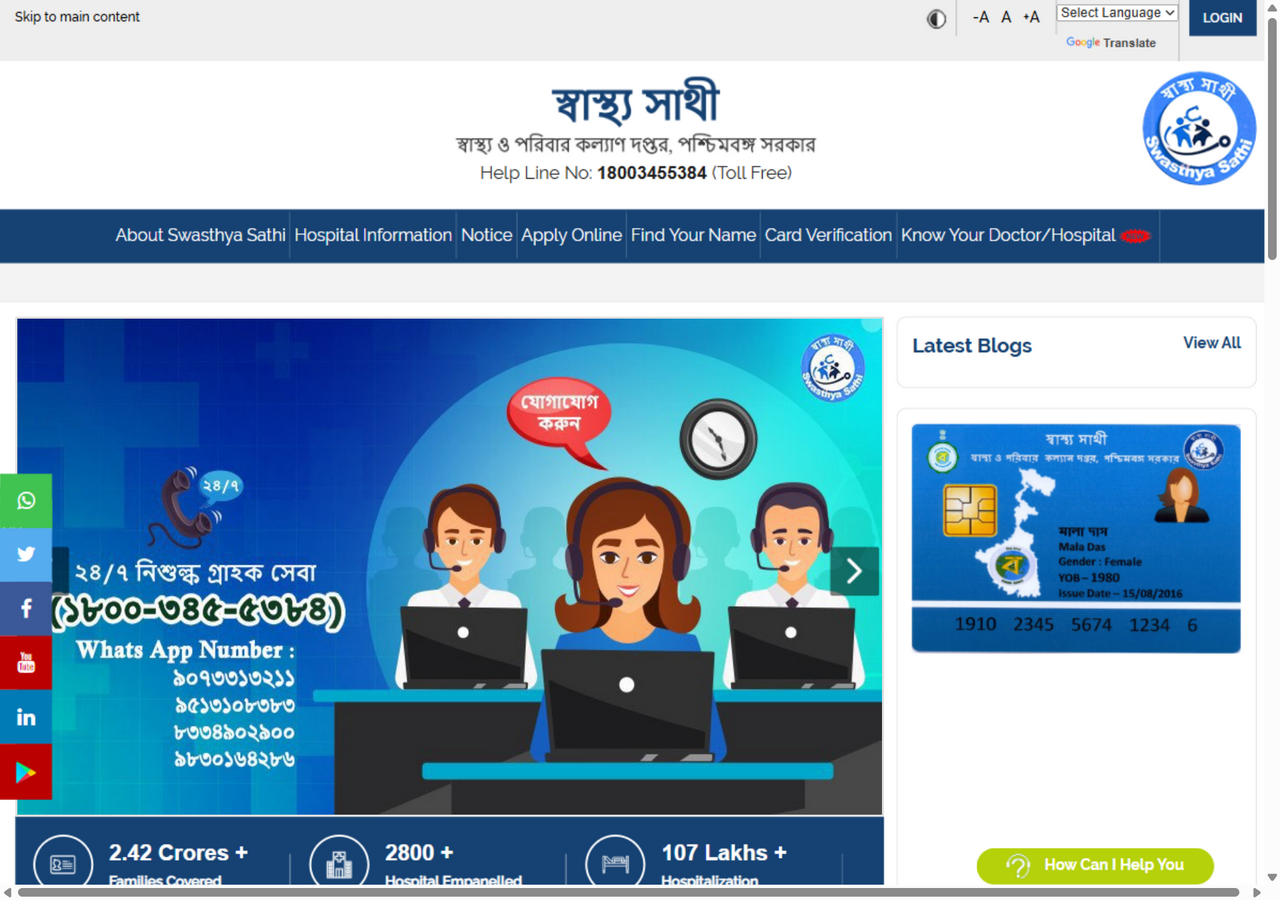
Open the official portal
Go to swasthyasathi.gov.in. The 'Find Your Name' and 'Card Verification' options can be seen in the menu bar.
Find the name by mobile number
In Find Your Name, enter the registered mobile number, complete OTP verification and view the list of all family members.
Verify the card with the URN
On the Card Verification page, use the URN to check the member's name, district and current status.
Download the digital card
From 'Download Digital Card' on the homepage, download the card PDF using the name and date of birth and keep it on your mobile.
Check by document type
The Aadhaar card identifies a Swasthya Sathi member and is verified at the hospital.
- Name lookup does not need the Aadhaar number itself — the Find Your Name page verifies a registered mobile number by OTP.
- Once the member list appears, match the last digits of each member's Aadhaar to confirm the right person.
- The Card Verification result table (Member ID, Aadhaar, ABHA Id columns) also lets you cross-check Aadhaar details.
- Show the Aadhaar card along with the Swasthya Sathi card at hospital admission for faster member identification.
The ration card is the family's primary document — Swasthya Sathi is family-based, so it is the easiest way to match members.
- Compare the names on the ration card's member list with the list found through Find Your Name.
- A member on the ration card but missing from the Swasthya Sathi list can be added using Form A downloaded from the homepage.
- Form D (member deletion) also uses the ration card details as supporting proof.
- Check that the address on the ration card and the district in the Swasthya Sathi record match.
The voter card mainly works as identity proof during enrollment and name correction.
- For new member enrollment or record correction, the voter card (EPIC) works as the usual ID proof on the form.
- If a name is misspelled, submit a copy of the voter card with Form C (name correction).
- The voter card is also used to verify the date of birth or age of elderly members.
- The voter card number is not needed for the online check itself — the mobile OTP is the main route.
Required Documents
Ensure you have self-attested copies of the following documents ready before applying:
Official Portal & Helpdesk
Visit the official government portal for direct application, tracking status, and departmental updates.
Frequently Asked Questions (FAQ)
How do I find the name if the mobile number isn't registered?
Visit a Swasthya Sathi office, a block health facility or a Duare Sarkar camp to update the mobile number. After that, the list can be viewed online via Find Your Name. You can also call the helpline at 18003455384.
Does the digital card work just like the paper card?
Yes. The digital Swasthya Sathi card downloaded on your mobile is accepted at hospitals just like the paper card. Download and keep the PDF, and print it if needed.
A member's name isn't on the card — what should I do?
To add a new member, download Form A from the homepage and submit it at the Swasthya Sathi office. Form C is needed for name corrections and Form D for removal — all are available on the official portal.
In detail
Whether all your family members’ names are in the Swasthya Sathi list, and whether the card has been generated — all of this can be checked for free on the official portal swasthyasathi.gov.in, without going to a shop or an agent. Real screenshots of each step are shown below.
Step 1: Open the official portal
Type swasthyasathi.gov.in in your browser and go to the site. In the top menu bar, Find Your Name and Card Verification — these two options are what you’ll use:
Step 2: Find your family’s names with ‘Find Your Name’
Click Find Your Name in the menu. A blue page will open:
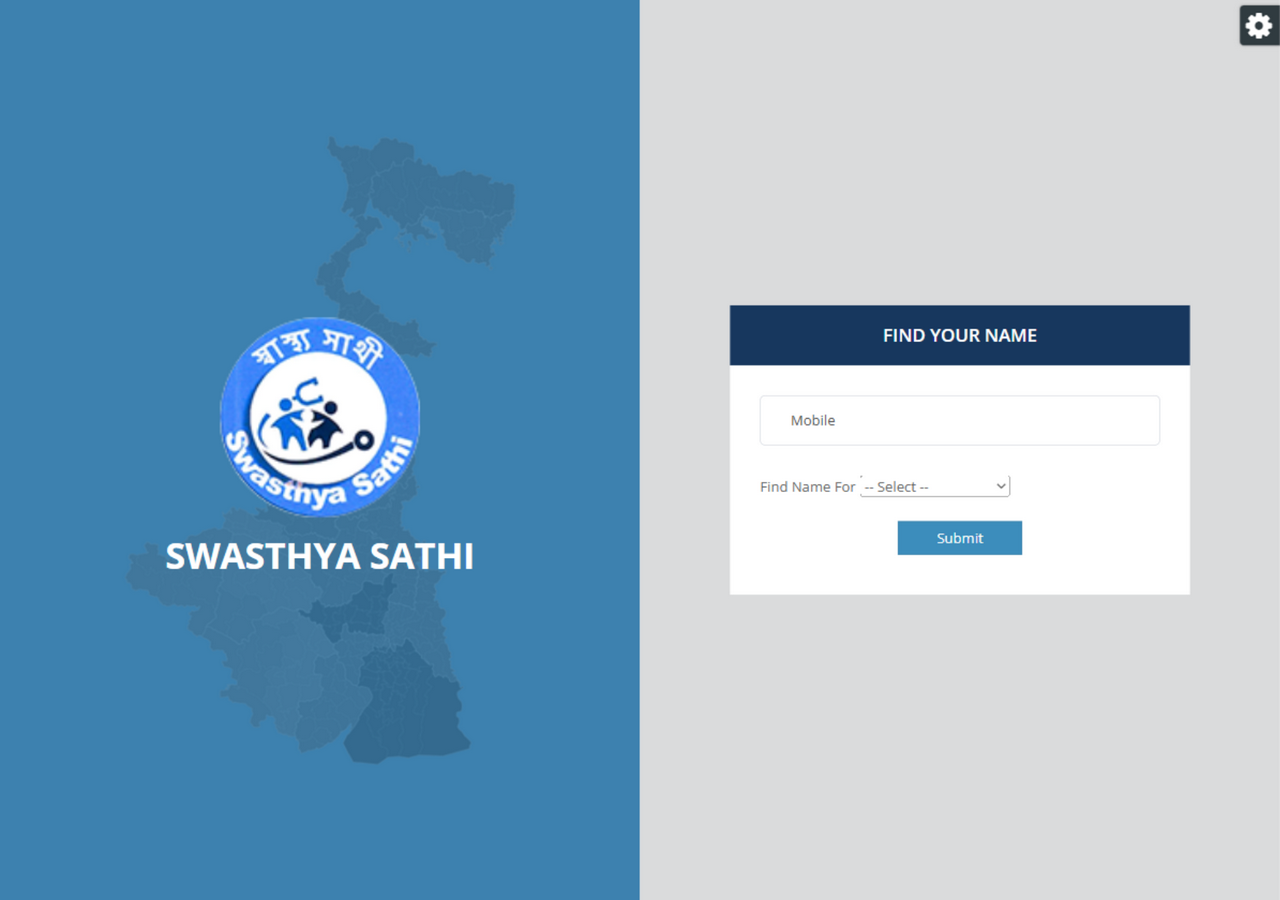
Here:
- Enter the mobile number registered in Swasthya Sathi in the Mobile field.
- Choose the option from the Find Name For dropdown.
- Press Submit — after OTP verification, the list of family members will appear, with each person’s name, Member ID and status.
Step 3: Verify the card with ‘Card Verification’
Click Card Verification in the menu and the following page will open:
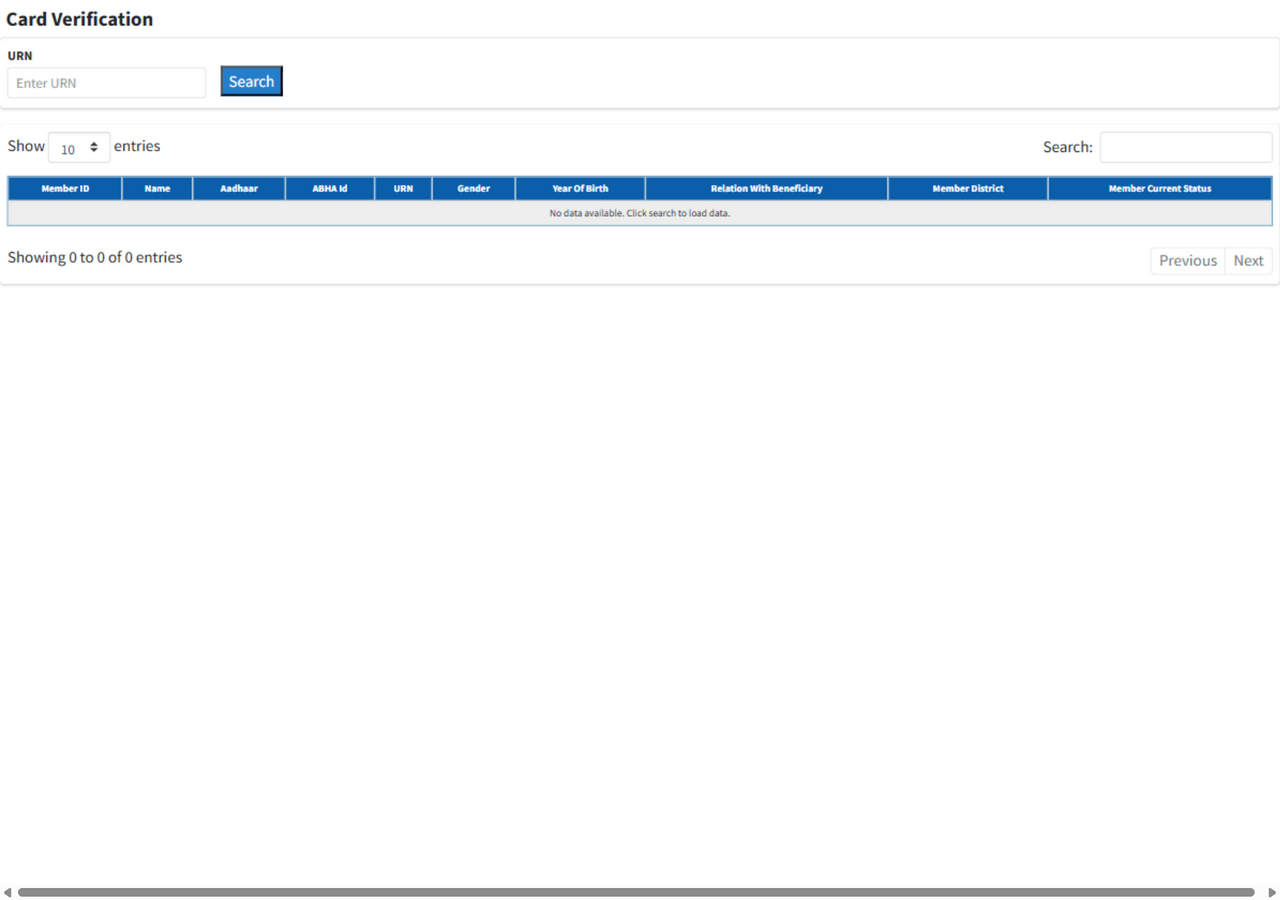
Enter the card’s URN number in the URN field and press Search. In the results table you will see:
- Member ID and name
- District (Member District)
- Member Current Status — whether the card has been generated
Step 4: Download the digital card
Go to the Download Digital Card option on the homepage and verify with OTP using the name and date of birth — the card’s PDF will download. Keep it on your mobile — at the hospital, it works just like the paper card.
Helpline
- Toll-free: 18003455384 (24/7)
- WhatsApp: 9088093211 / 9830197063 / 6291835300 / 9800118282
- Portal: swasthyasathi.gov.in
Related articles: Getting Treatment at AIIMS Delhi with a Swasthya Sathi Card, and on the card-cancellation rumours, read Swasthya Sathi Card Cancellation — Rumours and Facts.
Related topics
- swasthya sathi card check online
- swasthya sathi card check
- find name in swasthya sathi
- swasthya sathi card status
- swasthya sathi list
- swasthya sathi digital card download